Real-time lean angle, G-force, and GPS speed on your dashboard. Automatic lap detection. Voice coaching. Crash detection. Full ride history with professional PDF reports. A complete garage tracker. Free to start. $9.99 to unlock everything.
๐ Free to start. Try Pro free for 3 days or 3 sessions, whichever comes first. Then $9.99 one-time.
Live lean angle and G-force data captured on Elder Hill Road in the Texas Hill Country. This is what ThrottleX looks like in the real world.
"This is a genius app and the execution is amazing. Dev is on top of updates. If you ride a motorcycle and especially track, this is for you. Even if just road riding, you need this app."
"This app is amazing. The lean angle numbers are dead on target. For me the best feature is being able to download a recorded ride in a PDF and look at my numbers. Or compare 2 rides. Awesome work man."
"Great app for the track and great dev. Chris is putting a lot of love into this app and responds to feedback. Thanks for making an awesome app!"
"App was really informative and helped improve my riding experience. I feel like a better rider already."
"The app has been really good at tracking times and the developer is very responsive. Great app."
"Excellent tool, helped improve my cornering."
"I like the interface design. It's simple and intuitive. It has many configuration options; I like being able to track maintenance based on mileage. The telemetry is good quality and collects a lot of data."
"Very nice app. The developer is an experienced rider who really cares about making this app work flawlessly. This is just what I want in an app that charges a one time fee. Yup, no subscription!"
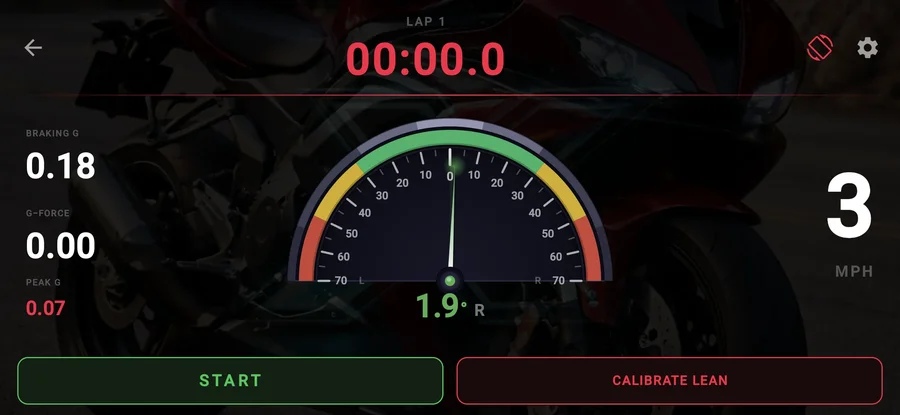
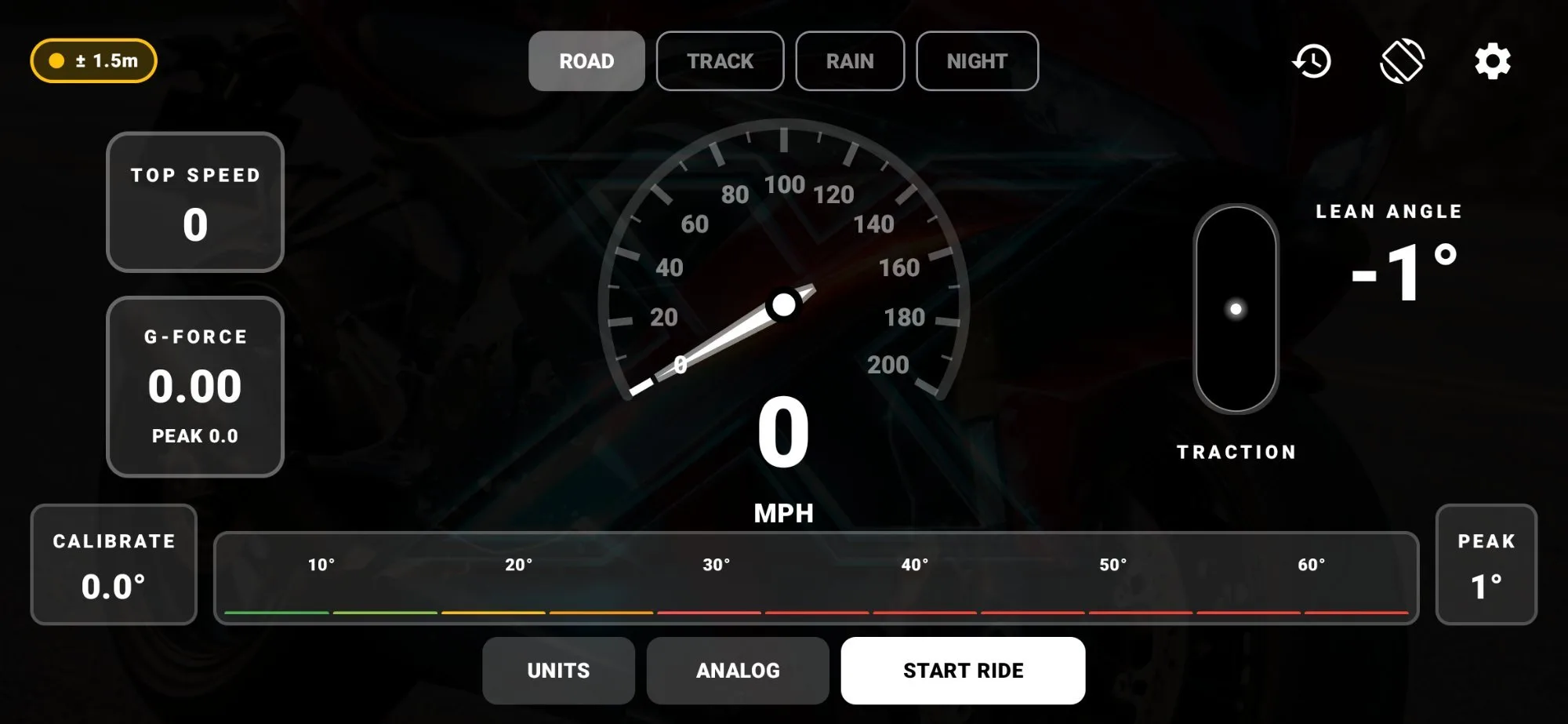
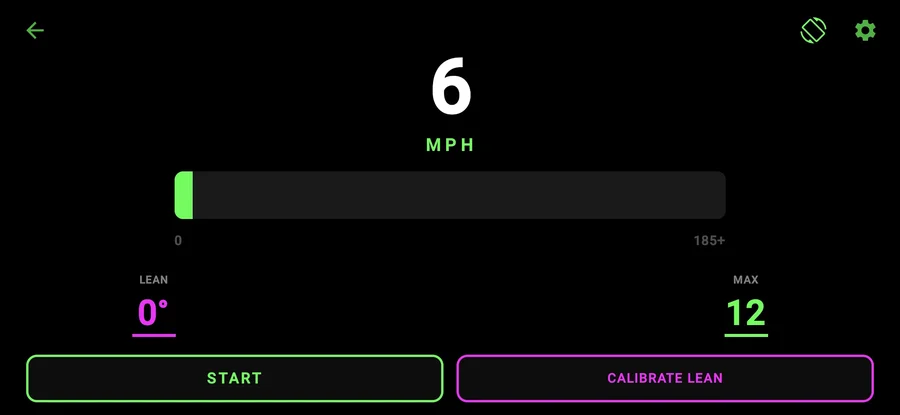
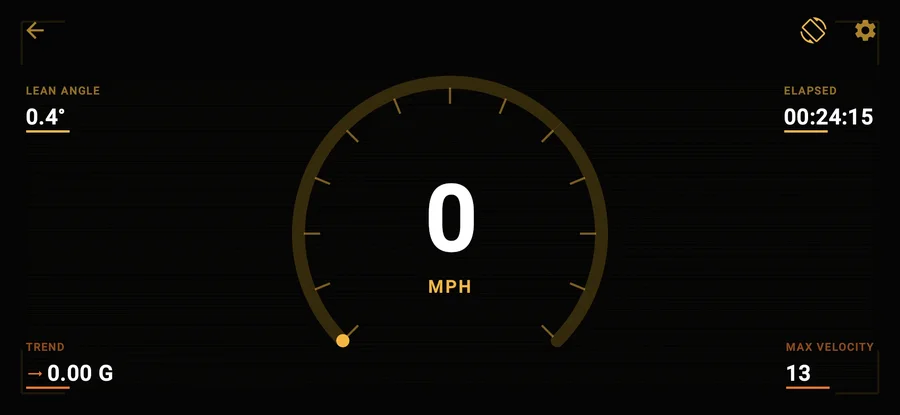
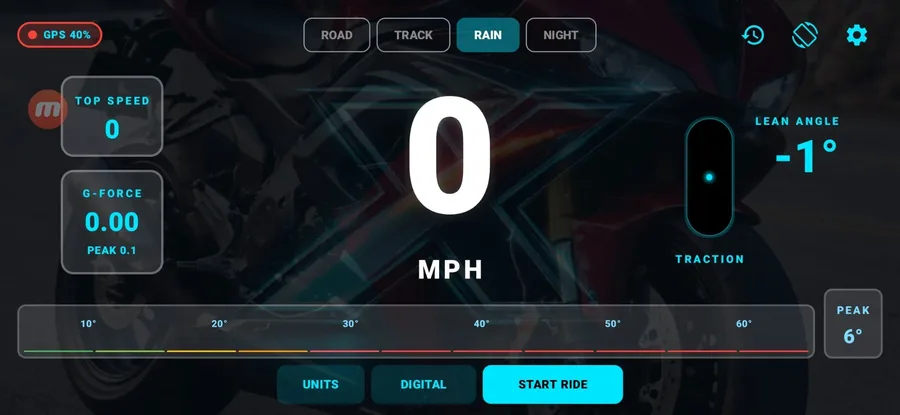
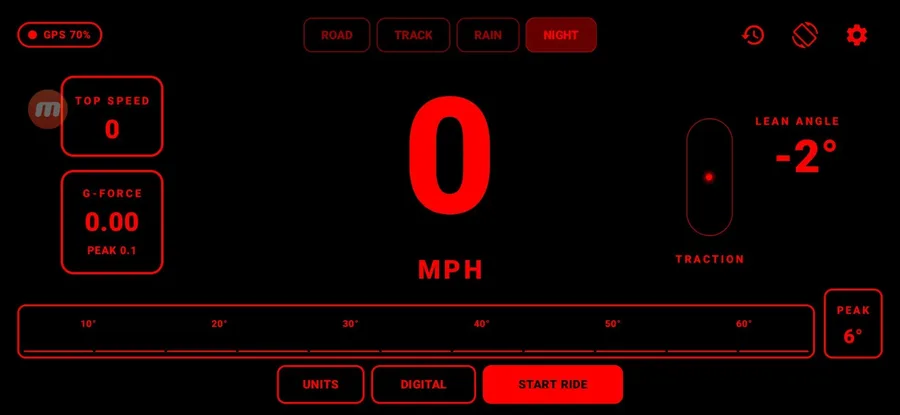
Four ride modes, each with its own distinct color theme. Sensors run at full precision in every mode โ the modes change the look of the UI, not the data.
The everyday riding dashboard. Clean white readouts, analog or digital speedo, lean angle, G-force, and the full-width color-coded lean bar at the bottom.
This is the real app. Every screenshot below is captured directly from ThrottleX. No mockups. No marketing renders. Just the actual thing.
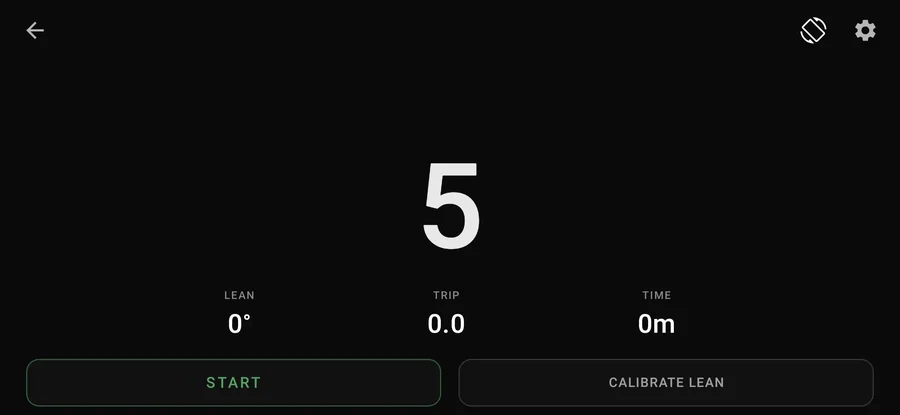
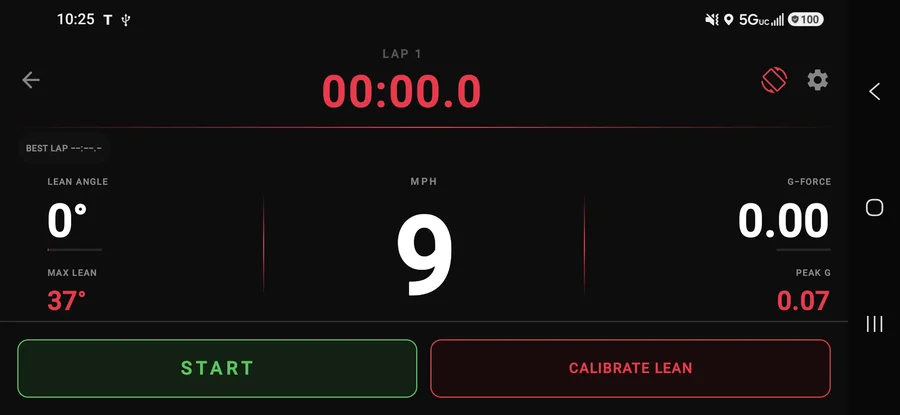
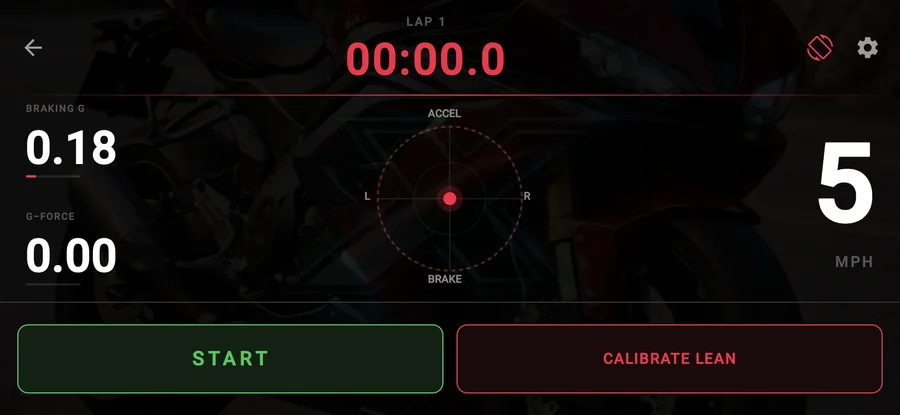
The ThrottleX dashboard is designed for one thing: glanceability at speed. Large high-contrast numerals, color-coded speed tiers, real-time lean angle with decimal precision, G-force live and peak, and a GPS quality indicator. All of it readable in a fraction of a second while you are focused on the road.
The ride mode you choose only changes the color of the UI. Sensors run at full precision in every mode, all the time.
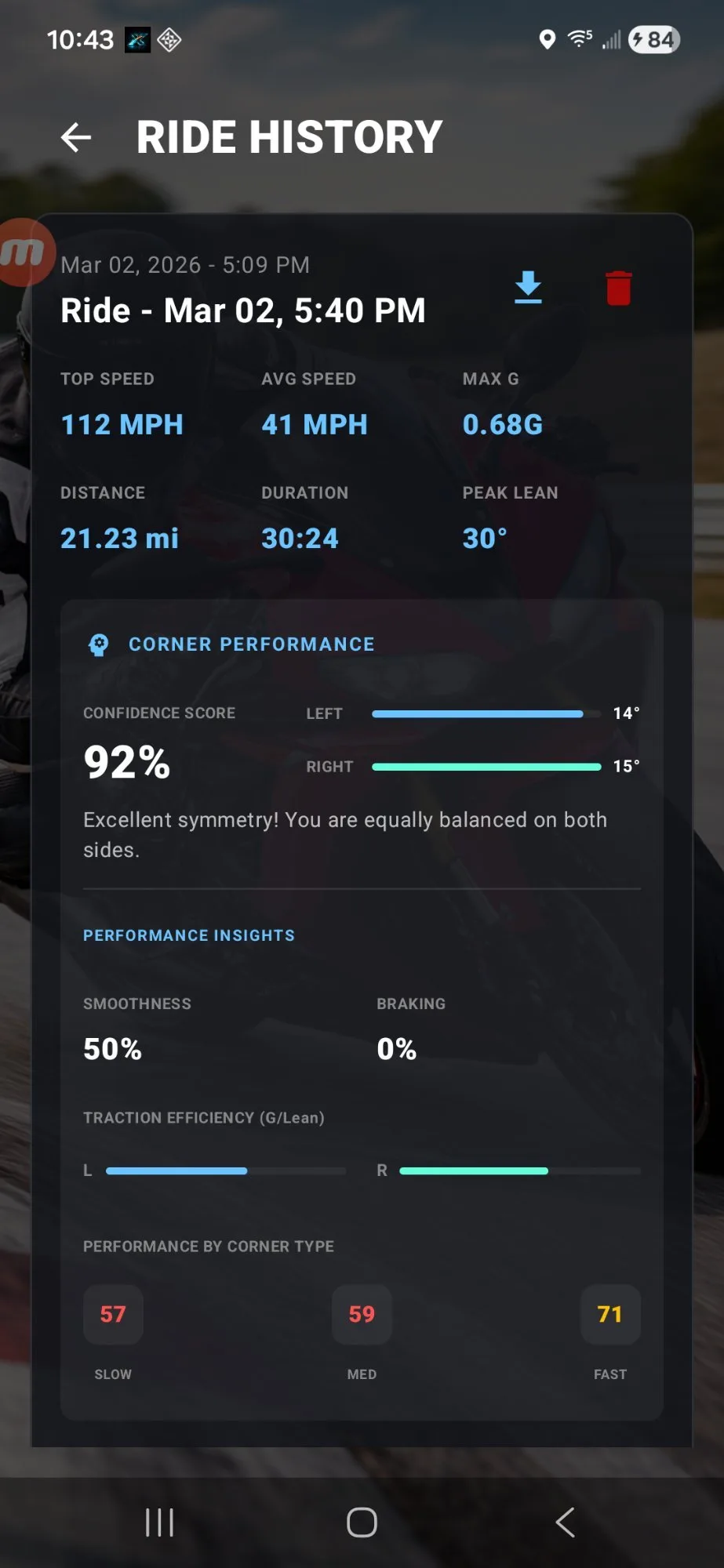
Every session is archived automatically. Pull up any ride and see top speed, average speed, max G, distance, duration, and peak lean. The corner performance card shows your confidence score, left and right symmetry bars, and automated coaching text identifying your weaker side.
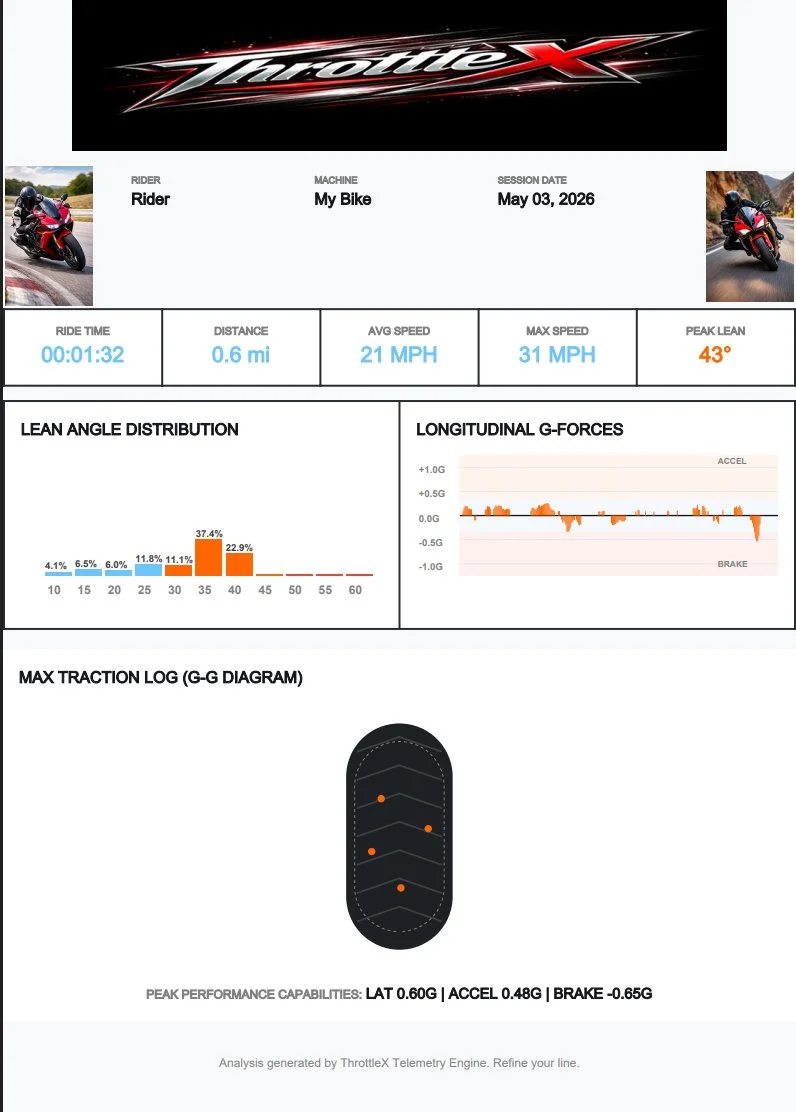
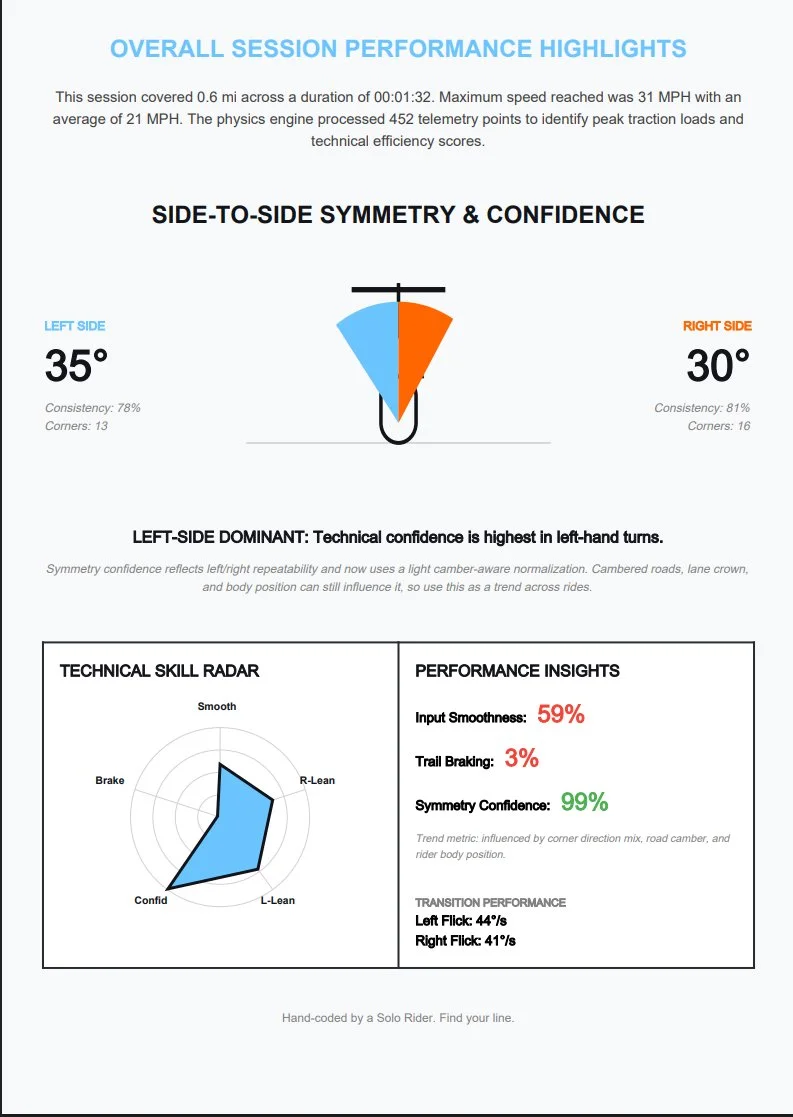
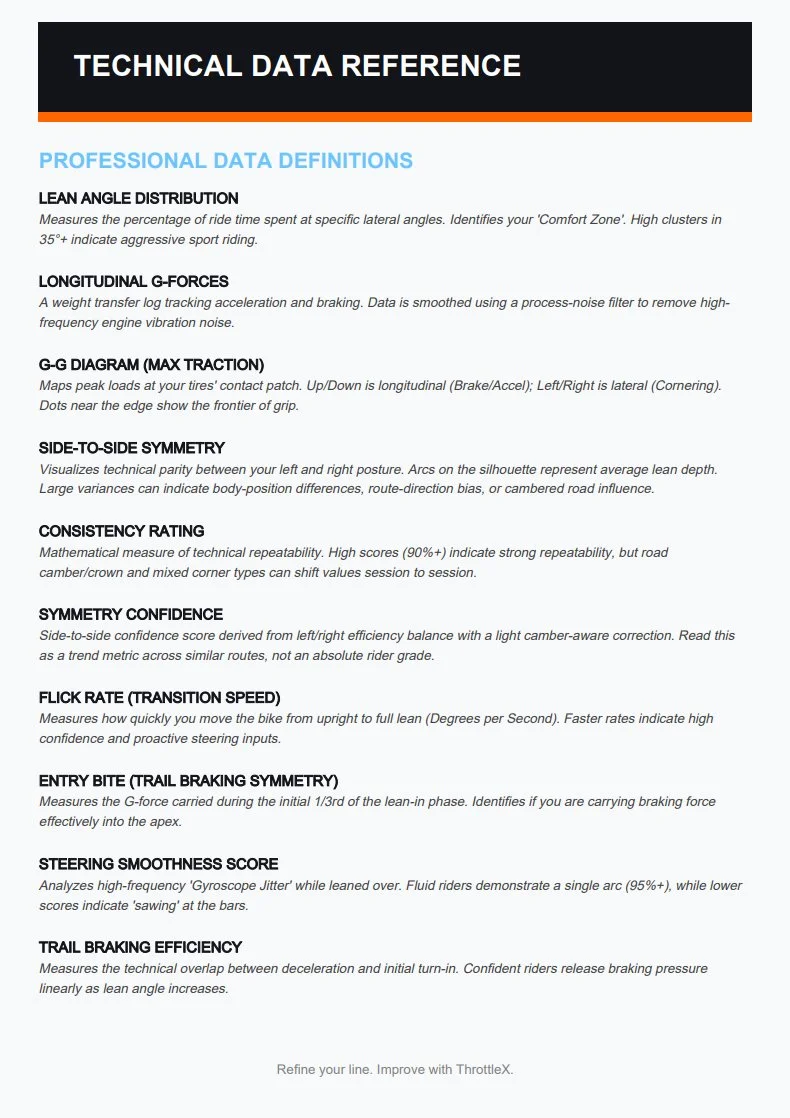
Generated by the ThrottleX Telemetry Engine. Three pages of data built to share with a coach or study on your own. This is what a real ride report looks like.
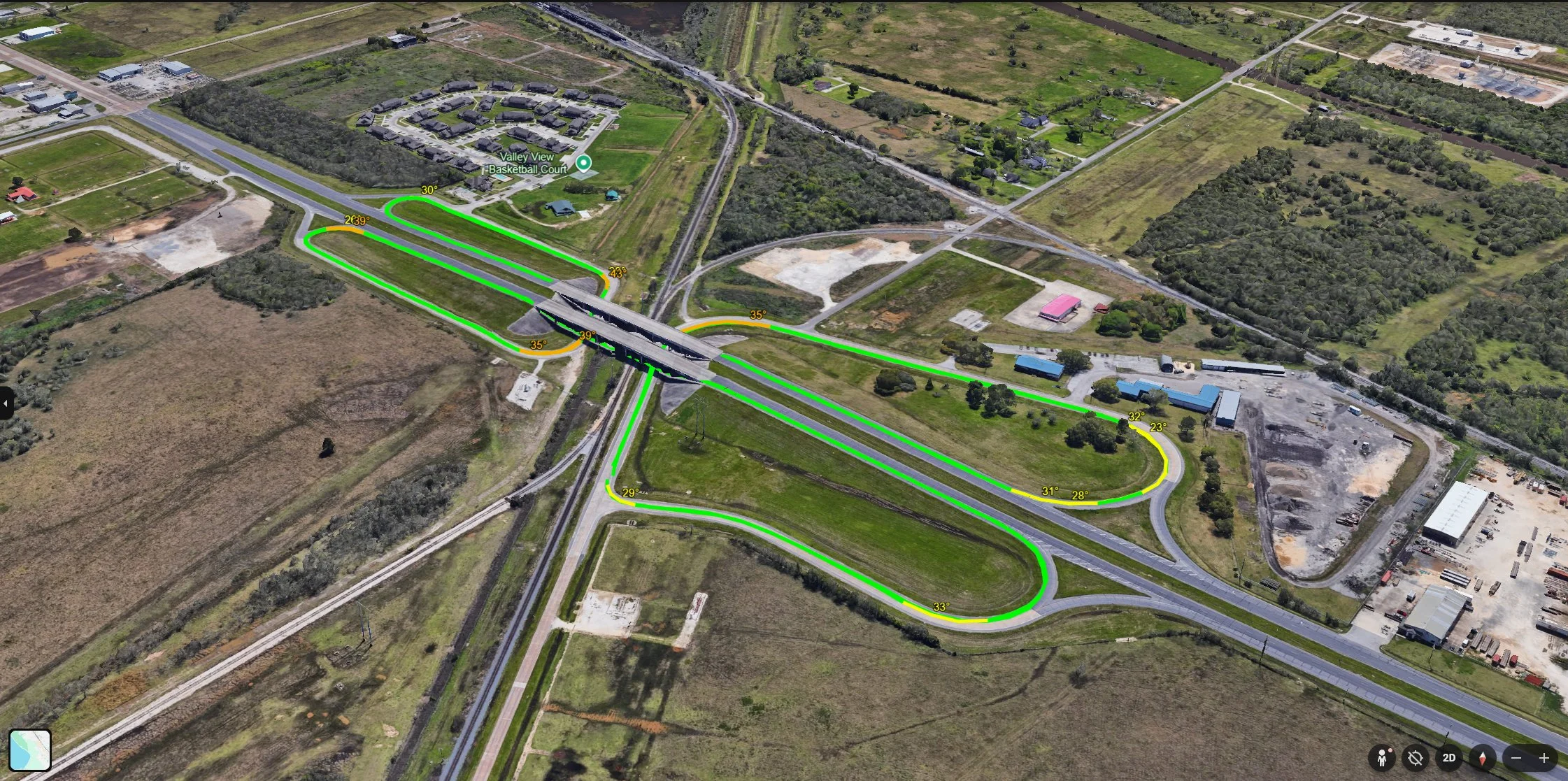
Export your session as a KML file and open it in Google Earth. On a track it renders your full route in green, highlights every corner in yellow where your lean angle climbed, and floats apex labels with your peak lean angle in 3D space directly over each corner. This is not a basic GPS trace. This is a professional race data visualization built into a $9.99 app.
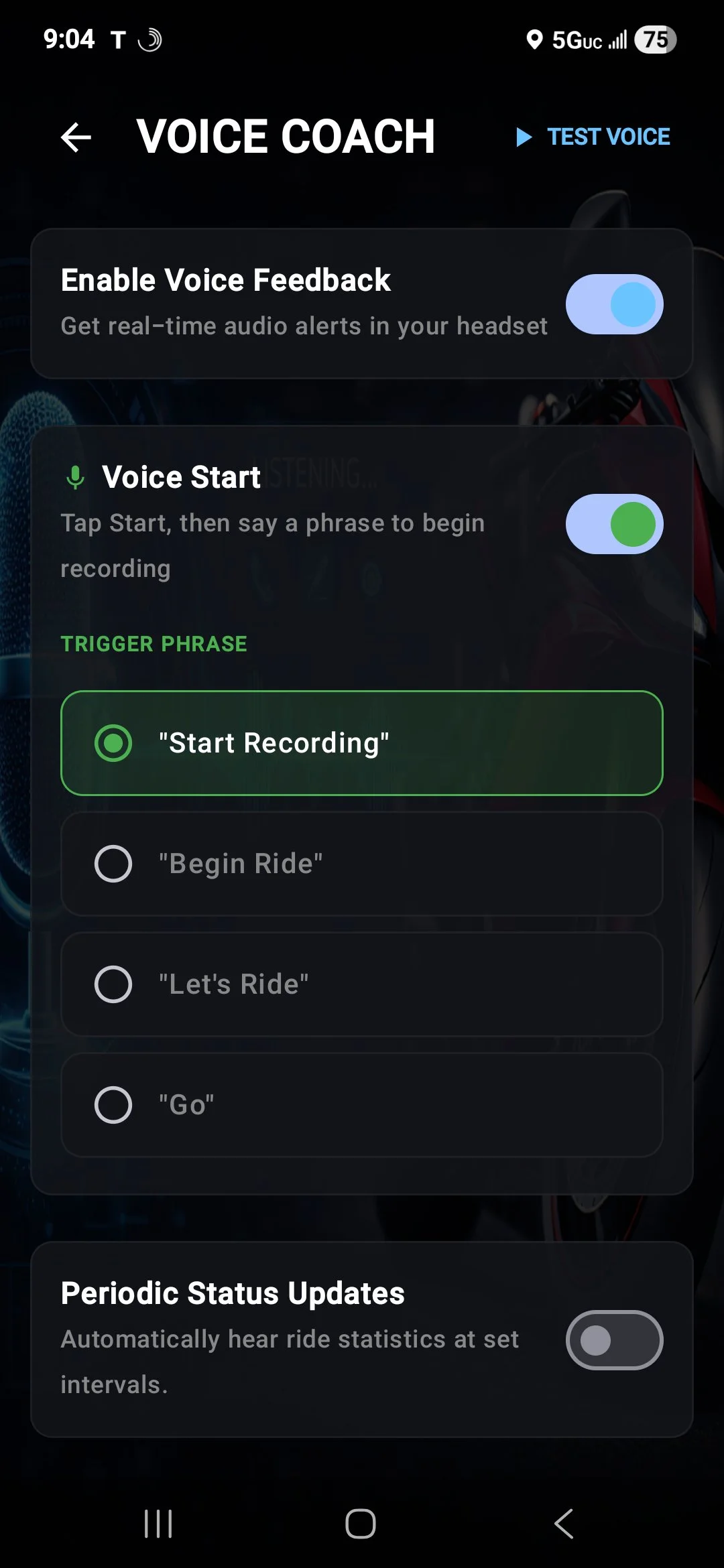
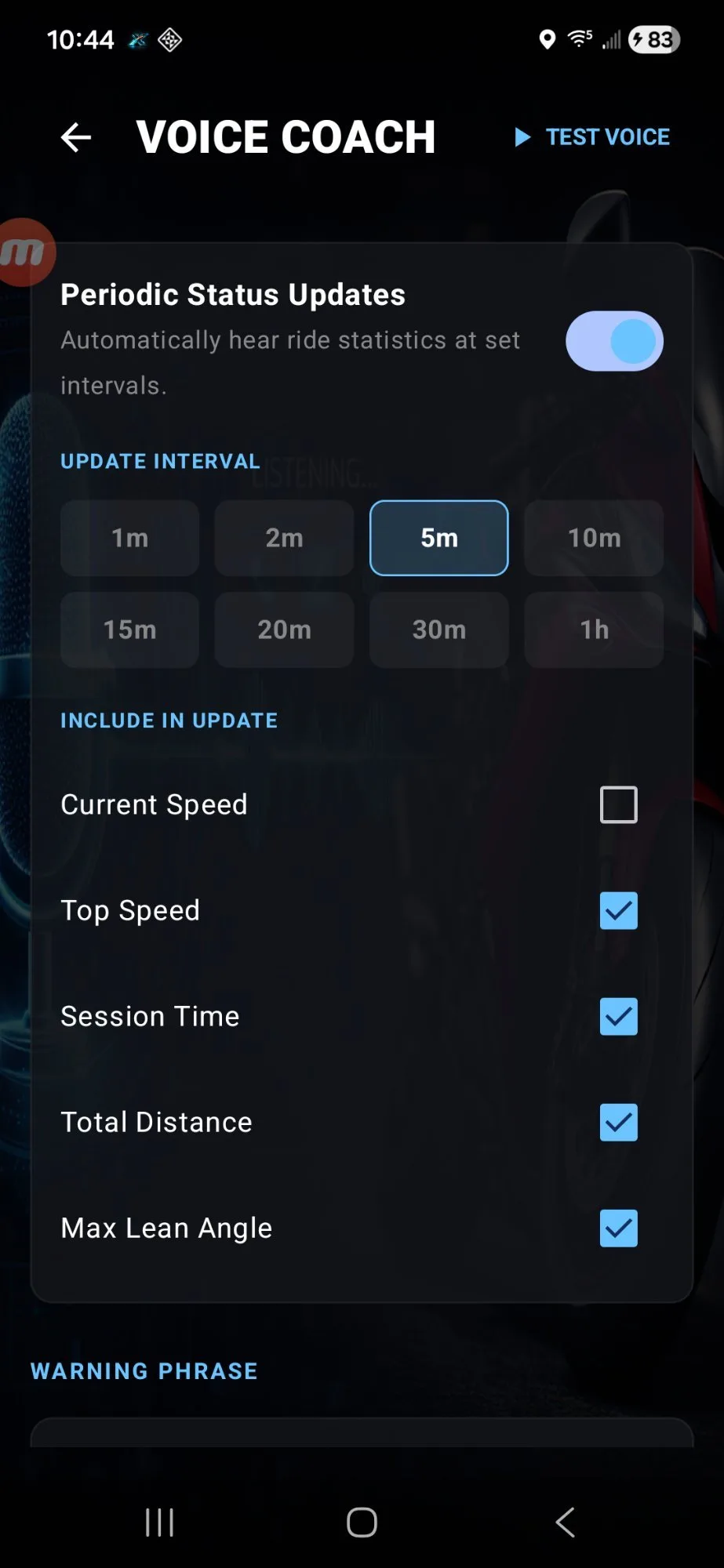
ThrottleX can start recording with your voice. Tap the start button then say your chosen phrase and the session begins, no screen tap needed mid-ride. Once you are riding, the Voice Coach calls out your lean angle through your headset the instant you hit your defined threshold. Choose from "Start Recording", "Begin Ride", "Let's Ride", or "Go" as your trigger phrase.
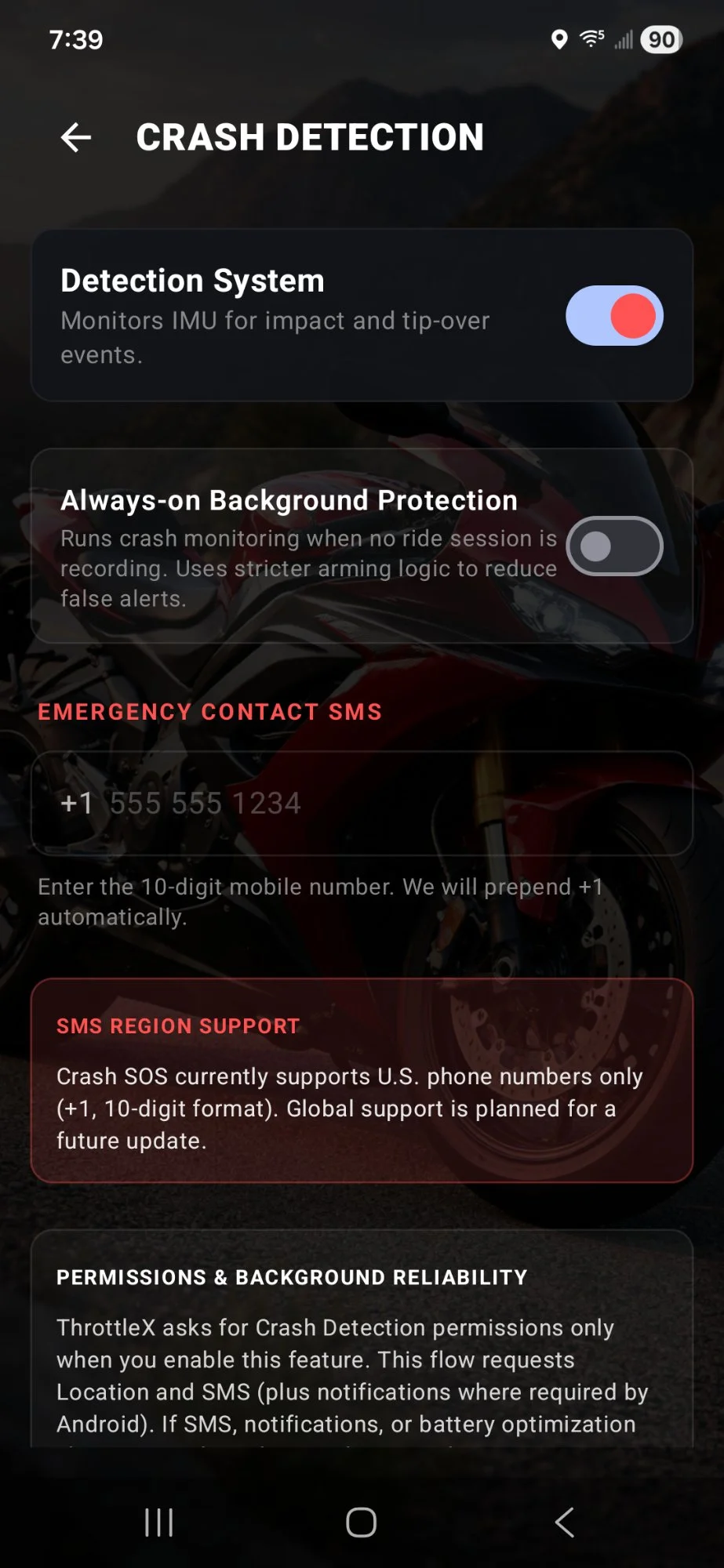
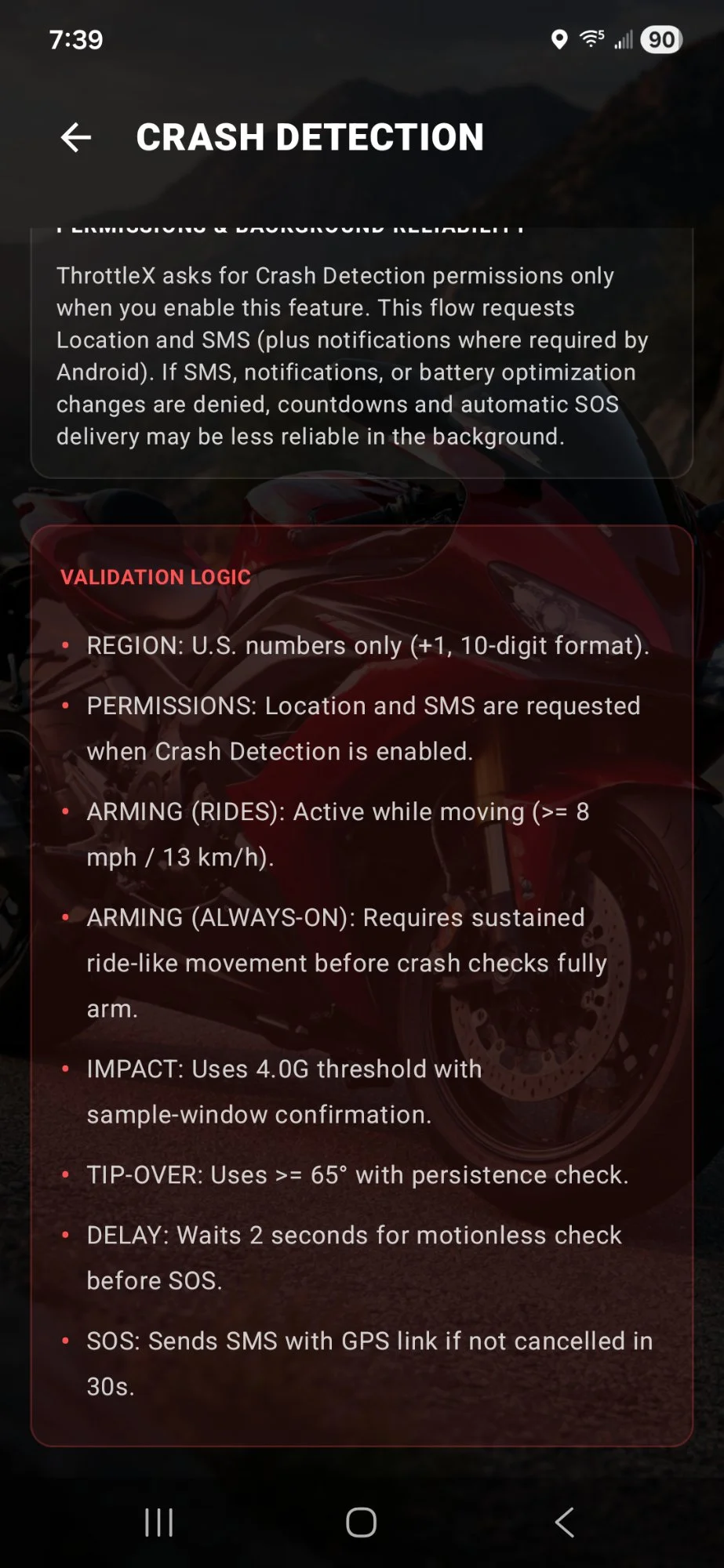
ThrottleX monitors your IMU in real time using sensor fusion crash detection. A high-G impact above 4.0G or a tip-over beyond 65 degrees triggers a 30 second full-screen countdown. If you do not cancel it, the app sends an SMS to your emergency contact with your GPS coordinates and a Google Maps link. Always-on background mode keeps monitoring even when the app is closed.
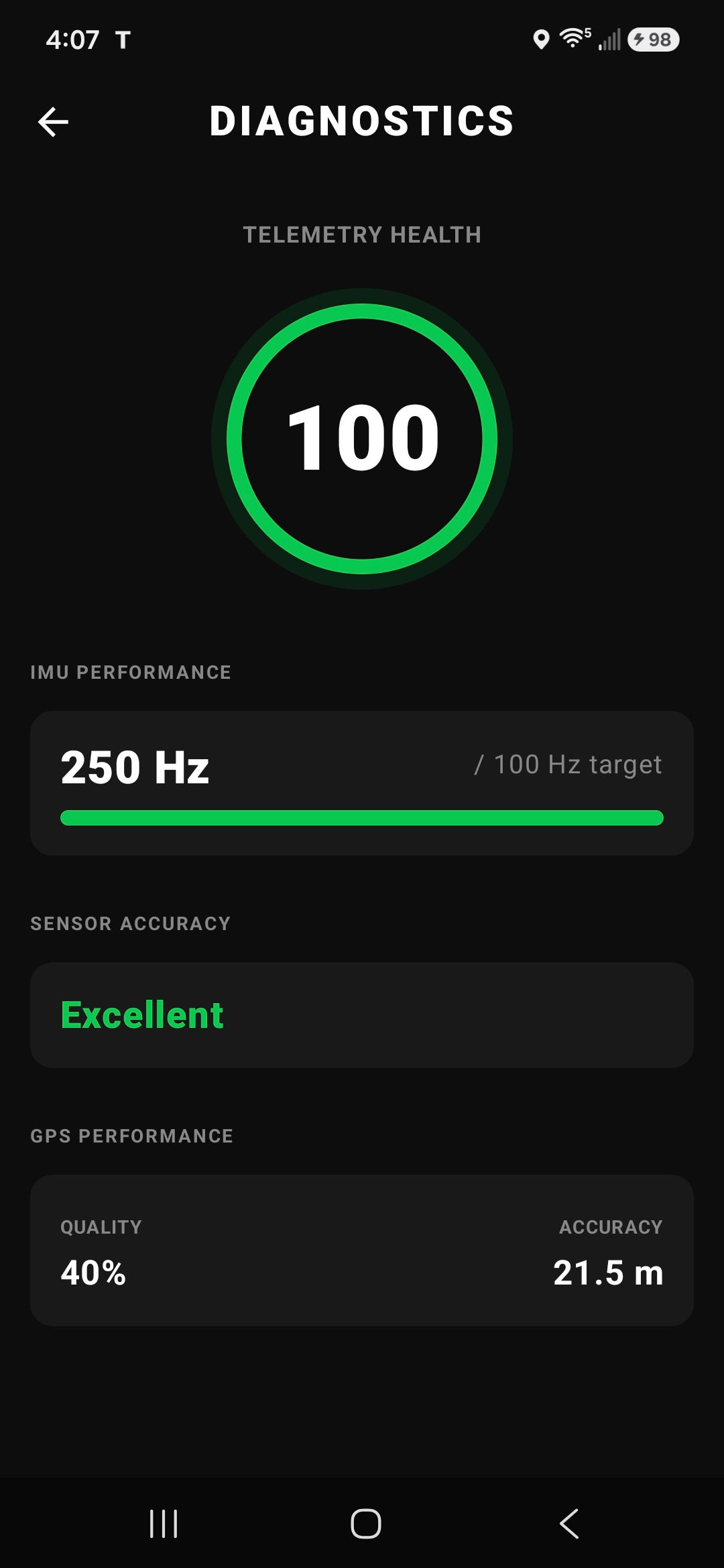
ThrottleX uses a custom Kalman filter to remove engine vibration noise from the sensor stream. Then it gives you four dedicated tools to understand and calibrate exactly what you are measuring.
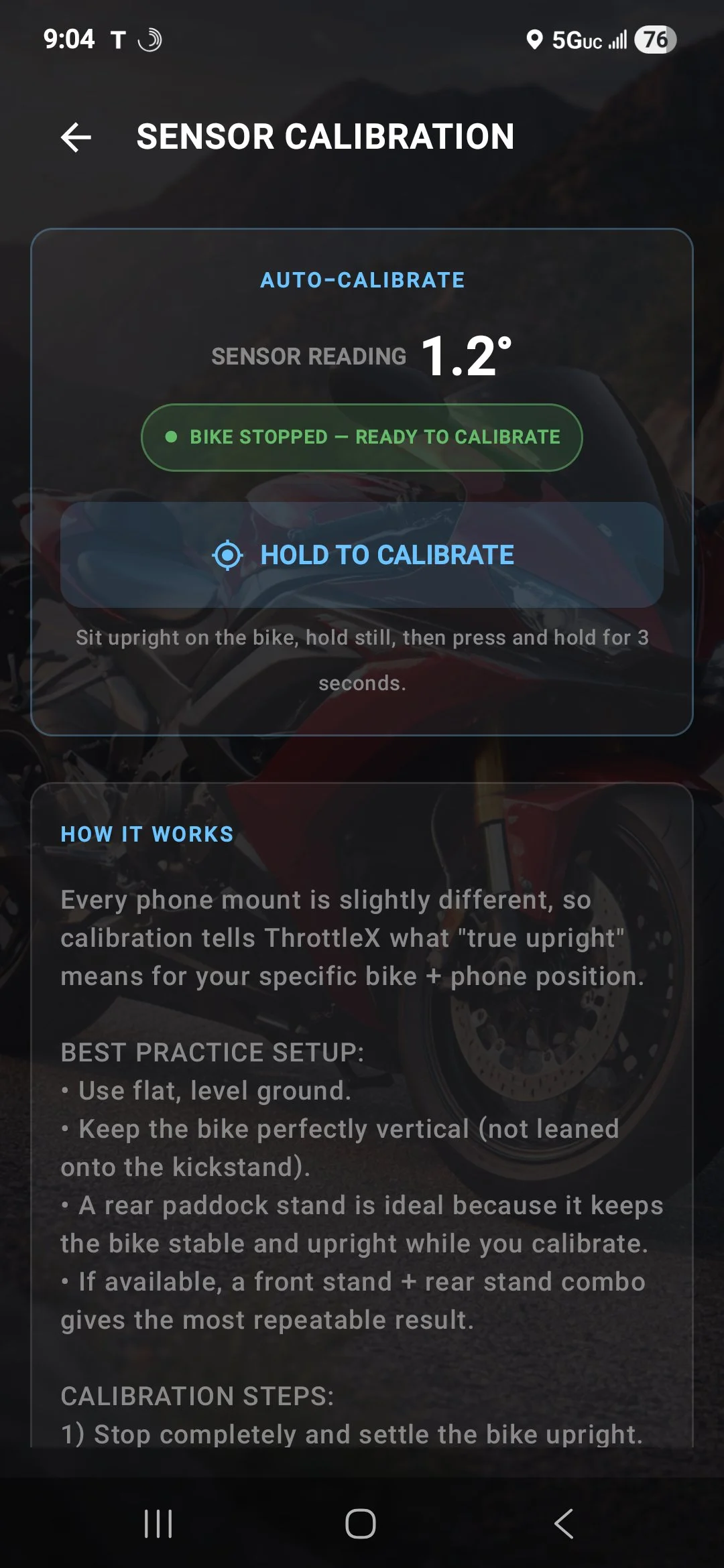
Sit upright on the bike and hold to calibrate. ThrottleX zeros the lean angle sensor to your specific phone mount position. Auto-calibrate detects when the bike is stopped and ready.
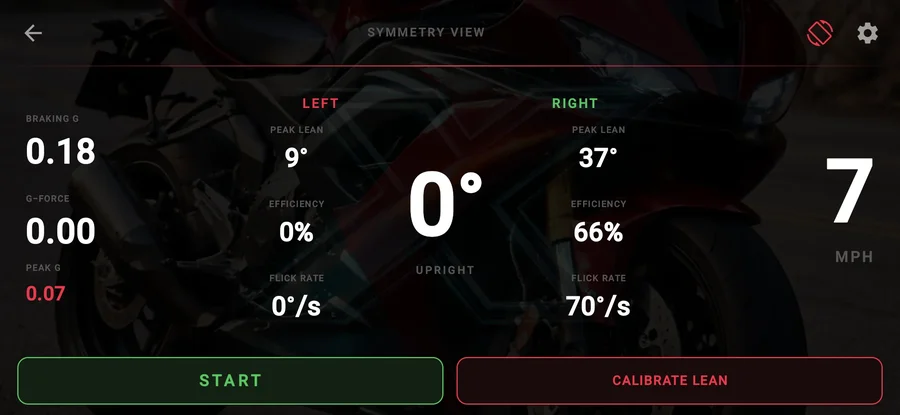
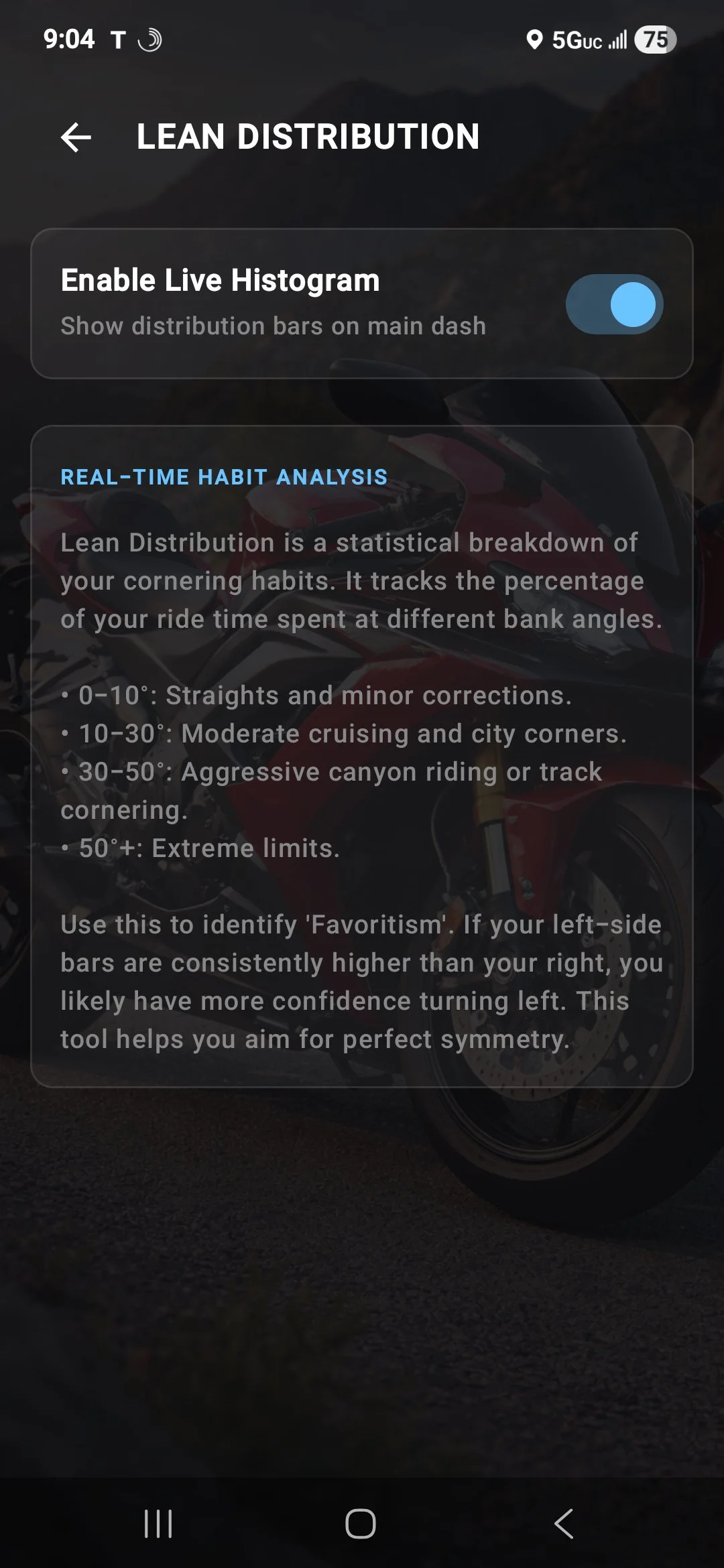
A real-time statistical breakdown of your cornering habits. Tracks the percentage of ride time spent at each lean angle bracket. Identifies which side you favor and helps you aim for symmetry.
Set your personal red line for cornering. This is the trigger point for the Voice Coach alert. Most sport tires perform optimally between 45 and 55 degrees. Adjust based on your rubber and your confidence level.
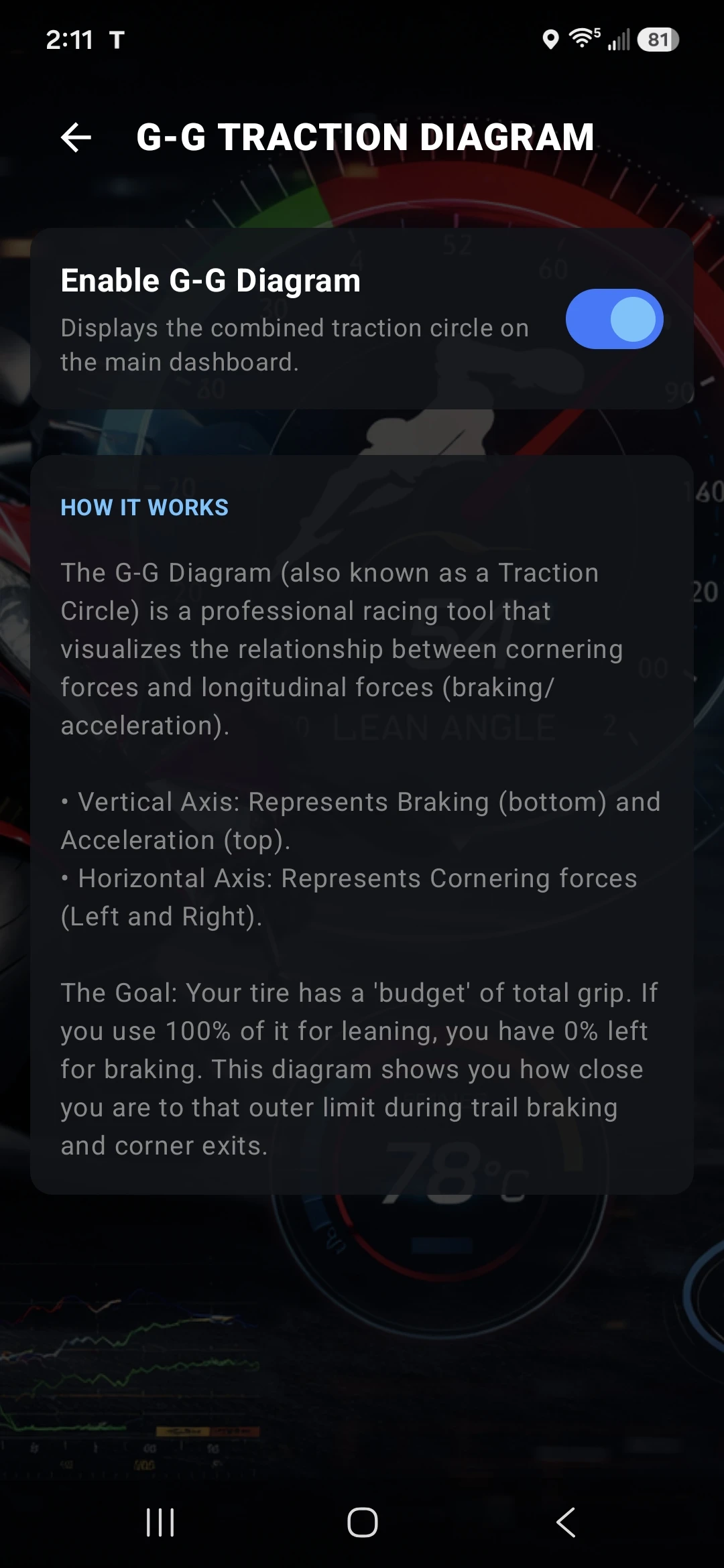
A professional racing tool that visualizes the relationship between cornering forces and longitudinal forces. Shows how close you are to the outer limit of your tire's traction budget in real time.
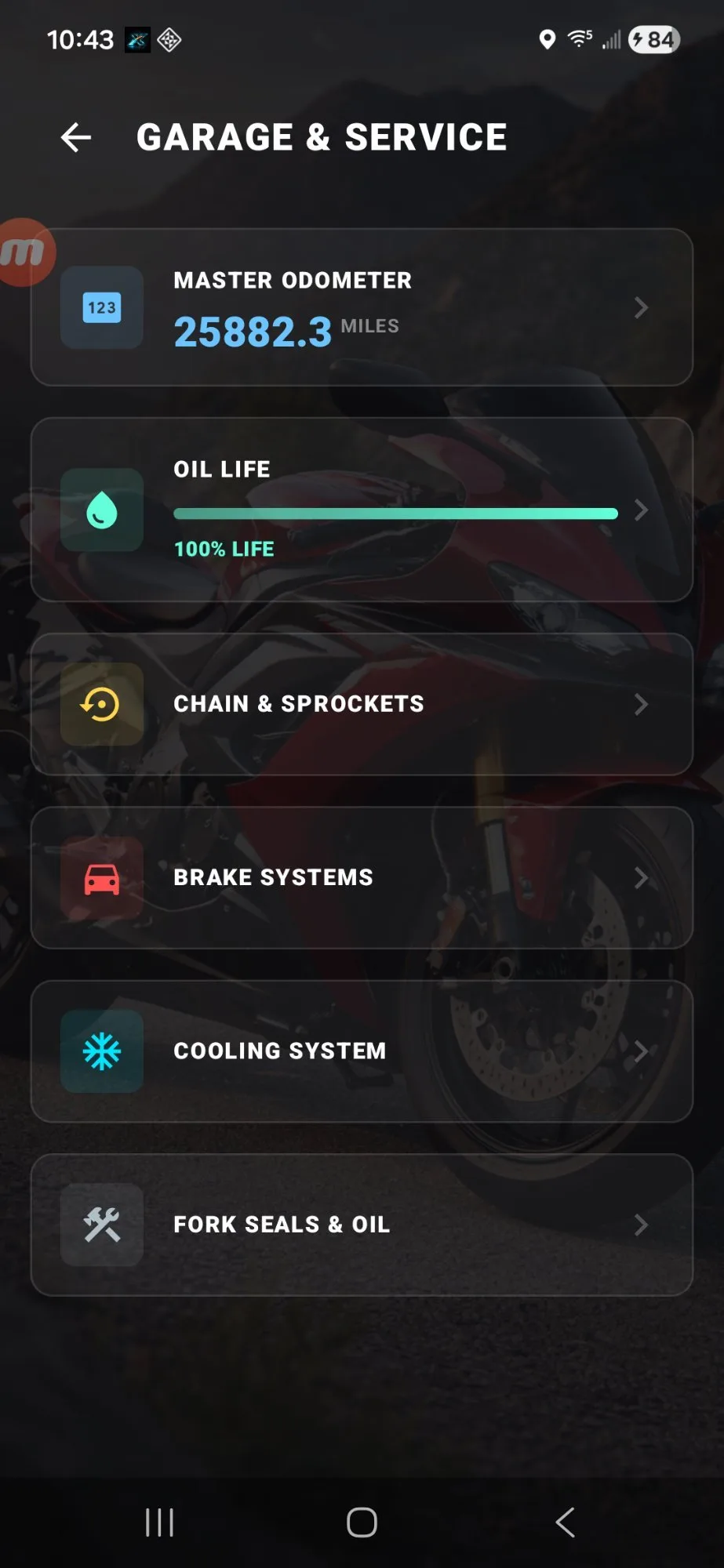
ThrottleX is a full garage companion. Every service interval is tied to your GPS-tracked odometer so the numbers are always accurate. An animated wrench icon appears on your main dashboard the moment any item is overdue. Never miss a service interval again.
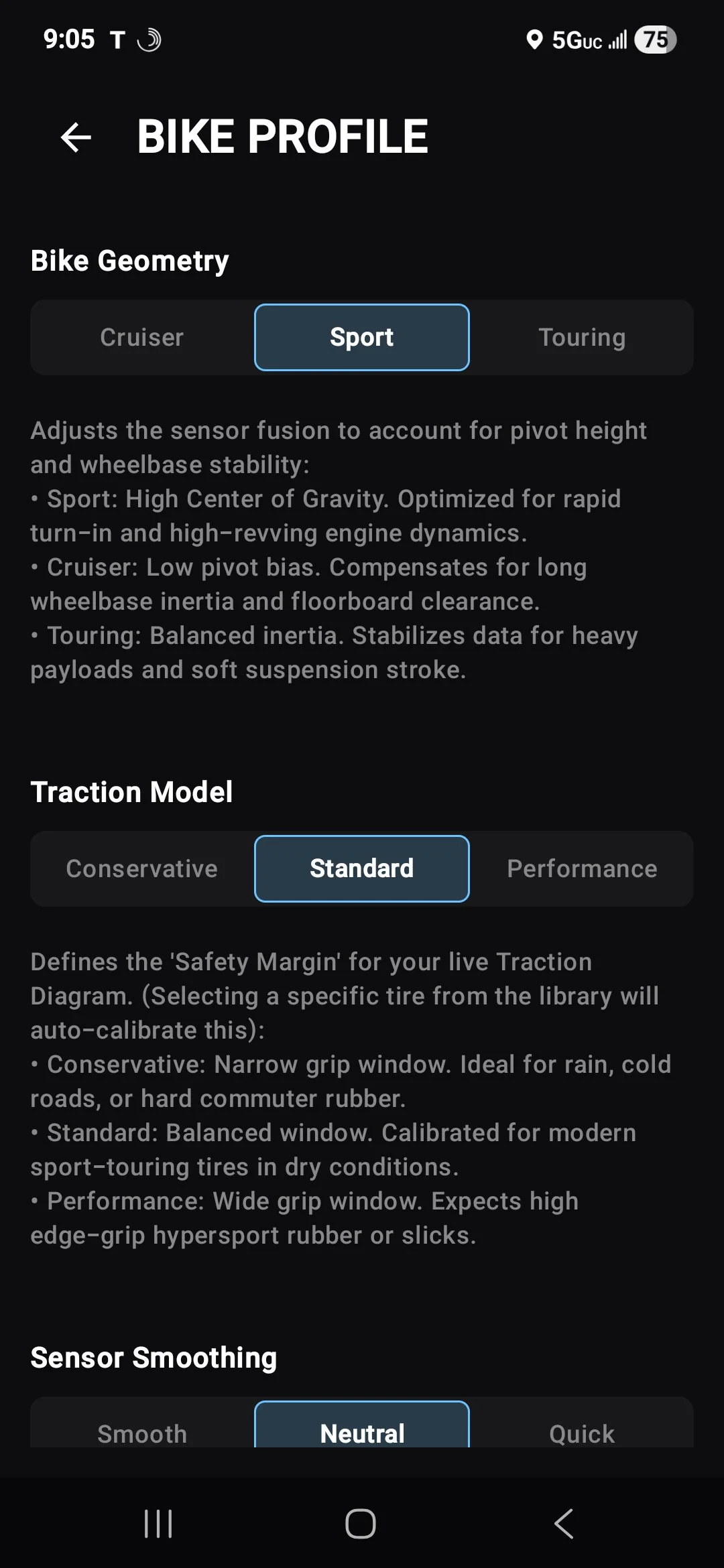
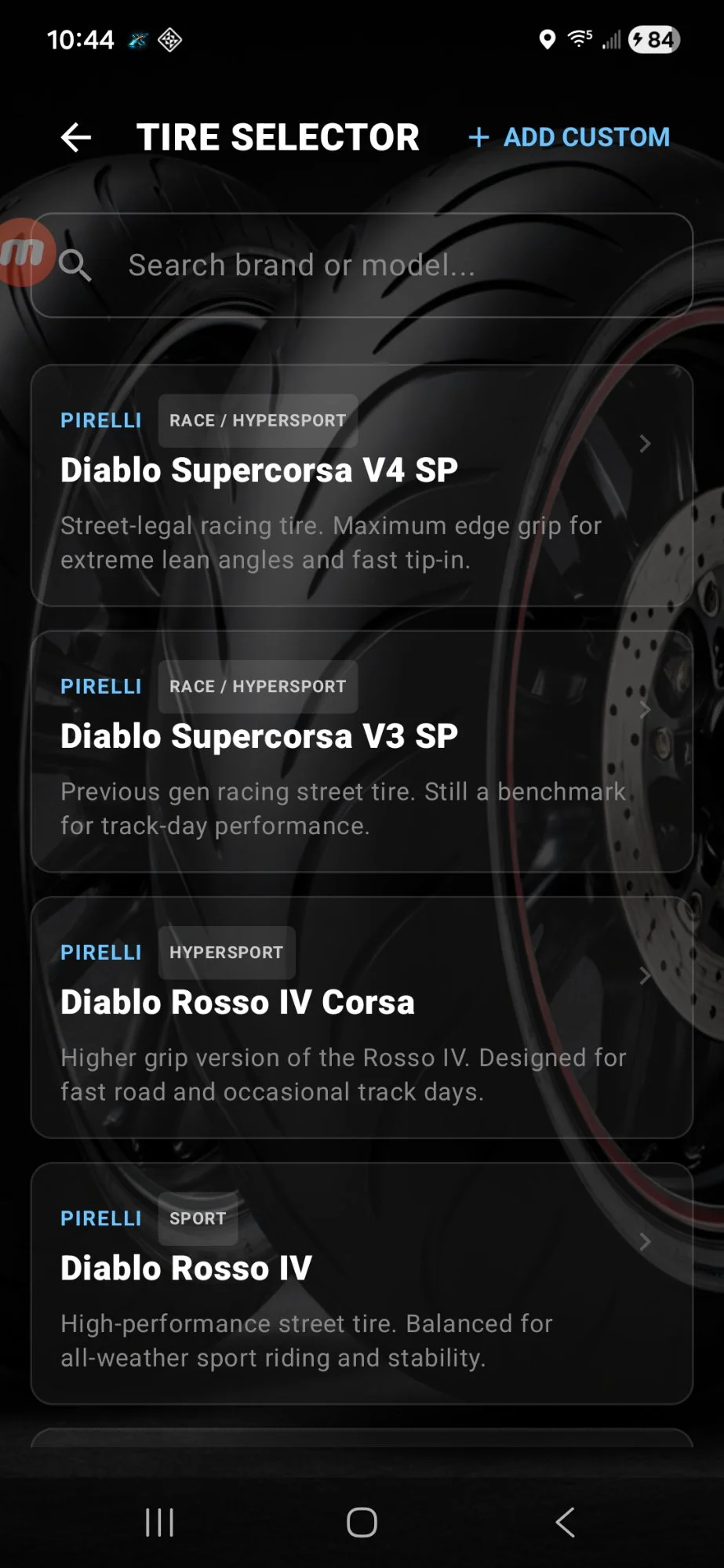
ThrottleX is not a one-size-fits-all data logger. The Bike Profile tells the app what kind of machine it is on โ Sport, Cruiser, or Touring โ and adjusts the sensor fusion physics accordingly. Select your actual tire from the library and the traction model auto-calibrates to your rubber's specific grip profile.
"Hand-coded by a Solo Rider."
ThrottleX v4.23 โ built by one rider who wanted better tools and decided to build them himself.
Try Pro free for 3 days or 3 sessions, whichever comes first. After that, the core dashboard stays free forever. Pro unlocks everything else for a one-time $9.99. No subscriptions. Not ever.
Bug report, feature request, or want to show off your session data? Every message gets read.
STAY IN
THE PACK.